Virtual Shanghai

Shanghai Urban Space in Time

Editor: Christian Henriot (IAO - Institut Universitaire de France)


Home Presentation    Texts    Images    Maps     Live Maps    Reference     Search     Toolbox

->Viewer

Google Earth

Buildings

Digitized maps

Vectorial Data

 
To get access to the Virtual Shanghai GIS platform, just click on the link below:
 
Virtual Shanghai GIS Web Server


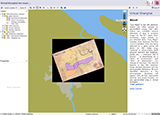
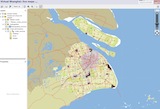
"Live Maps" is the GIS platform where we offer access to georectified maps, but also where we combine various elements of data to produce maps "on the fly". Apart from producing maps based on pre-selected data, "Live Maps" will includes many other features. The first one is a timeline. All the items existing in a given period are displayed on the timeline. This will let the user know will show what data is available for display on the maps (e.g. "schools" in 1910-1925). Each physical element like buildings, parks, etc. -- whenever this is known -- is determined by a "date of construction" and "date of destruction" (or change of function). A second feature is the link between these physical elements and the photographic database. All such identified elements in the photographic database will appear with all their associated pictures and actual location on any georectified map in Virtual Shanghai. Finally, we have created a database of all street names through history. The database will allow searching any street name and find its various names in Chinese, pinyin, English or French in the various periods of Shanghai history. Names will also point to the actual location on a map.

This platform is under development. It is meant to offer new features as it develops. Tentatively, these features can be defined as follows:

- a sample of around 50 georectified maps of Shanghai

- three complete sets of digitized and georectified atlases for 1939, 1946 and 1987

- a complete set of "base maps" representing the territorial divisions (districts, police or census districts, etc.) ever drawn on Shanghai between 1849 and today.


How to use "Live Maps"

The various functions are self-explanatory. To display raster data [Source maps] or vectorial data [e-Atlas maps], check the first box of any category and check the various sub-levels for additional data.


The basic tool icons in the menu upper bar are (click on Help  for more details):
 
 Initial map view: Zooms to the initial extents set for the map
 
 Pan mode: Activates interactive panning. Click and hold the map to move it in any direction.
 
  Select mode: Click a single feature to select it. Click and drag the cursor to draw a rectangle around multiple features.
 
  Zoom to selection: Zooms to the extents of all selected features
 
  Zoom rectangle: Draw a rectangle to select the new view extent. The map will zoom in on the selected area.
 
  Clear selection: Clears all features currently selected.
 
  Refresh map: Refreshes the map and reloads all layers, keeping the current center and scale. Sometimes the server does not react fast enough or simply does not display the change of selection. This will force the server to update to the selected data. Useful if you make frequent changes during one session.
 
  Measure: Measure distances by drawing line segments on the map.
 
  Address search: this allows you to search a specific address (35, Avenue Foch or 668 Nanking Road). Use only the proper name of the street (Nanking, Lafayette, Maoming). Do not add any "rue", "road", etc. Since geocoding is being introduced only progressively, you may not fin the exact address you are looking for. You can check whcih number have been entered simpl by writing the name of the street in the search field. All recorded numbers will be displayed.
 
  Address search: this allows you to search a specific street . It wil be displayed on the map as a highlited segment. Use only the proper name of the street (Nanking, Lafayette, Maoming). Do not add any "rue", "road", etc.


Page modified on 12 March 2010